
How to Edit or Delete Agents in Your IVRSolutions Panel
After adding agents to your IVRSolutions panel, you may sometimes need to update their details (like name, email, or extension) or even delete an agent who no longer needs access. The IVRSolutions panel makes both tasks simple and efficient. In this guide, we’ll walk you step-by-step through editing and deleting agents, so you always maintain an accurate and up-to-date team list.
After adding agents to your IVRSolutions panel, you may sometimes need to update their details (like name, email, or extension) or even delete an agent who no longer needs access. The IVRSolutions panel makes both tasks simple and efficient. In this guide, we’ll walk you step-by-step through editing and deleting agents, so you always maintain an accurate and up-to-date team list.
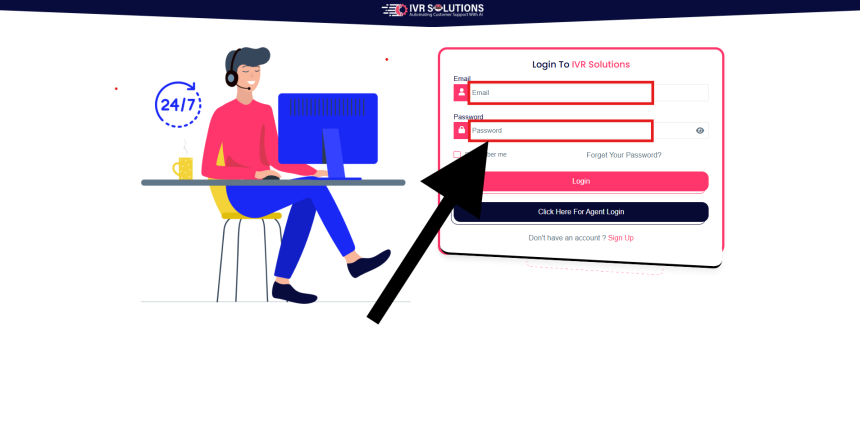
Login to your IVRSolutions admin account with your registered email and password.
Step 2: Navigate to the Agents Section
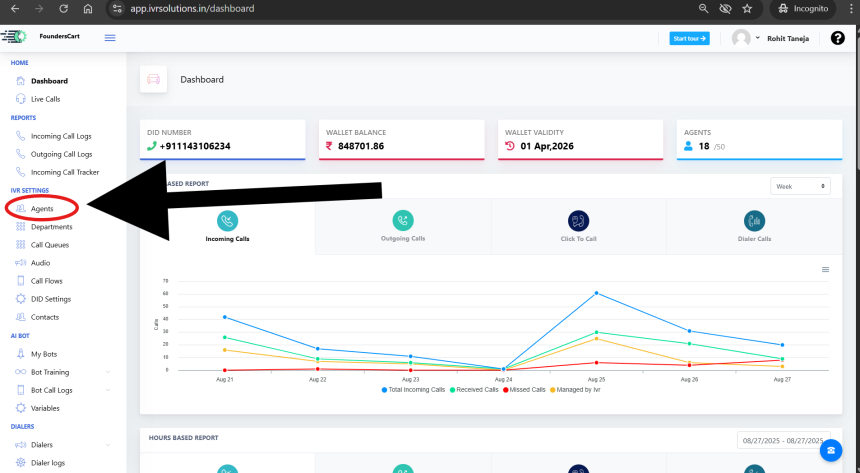
From the main dashboard, select the Agents tab in the left-hand menu. Here you can view the complete list of agents added to your panel.
 Step 3: Edit Agent Details
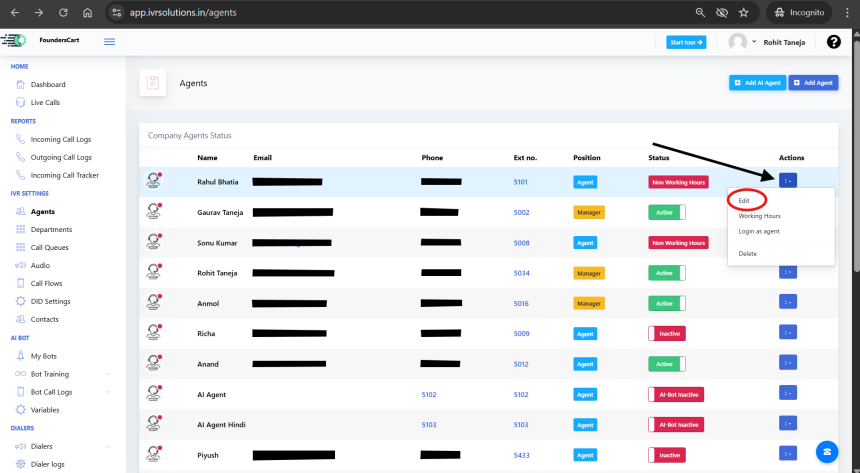
- Find the agent you want to update in the list.
- Click on the Edit (✏️) button/icon next to their name.
- Update the required details, such as:
- Full Name
- Email Address
- Contact Number
- Extension/DID
- Role/Permissions
4. Click Save to apply the changes.

How to Delete an Agent
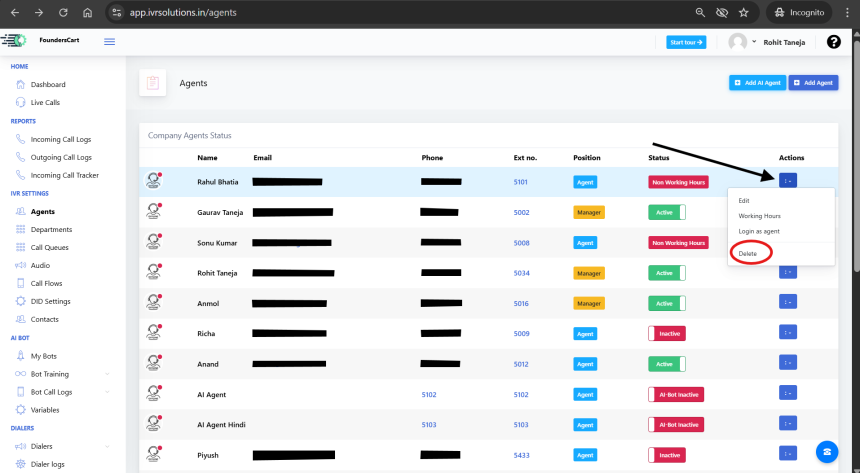
Locate the agent you want to remove.
Click on the Delete (🗑️) button/icon next to their record.
Confirm the action when prompted.
- Note: Once deleted, the agent will no longer appear in your panel, and you will need to add them again if required in the future.
 Conclusion
Editing or deleting agents in the IVRSolutions panel is quick and straightforward. Keeping your agent list up-to-date ensures that only the right people have access and that your call flows remain smooth.
For more tutorials and best practices, visit learn.ivrsolutions.in
How to Set Up a Basic Call Flow in IVRSolutions
A call flow defines what happens when a customer dials your number. It determines whether...
How to Add and Manage Departments in Your IVRSolutions Panel
Departments help you organize your call center or business team into functional groups suc...
What to Do When Calls Are Not Working in IVRSolutions
Sometimes you or your agents may face issues where calls are not connecting, dropping, or...